The old way
- 1Use the local network while you're away
- 2Your Internet traffic exits through the IP address of your current location
- 3Connecting through your home network requires extra setup
No matter where everyone is, route devices through a single home gateway to maintain a consistent household network environment at all times.
HomiPlay Home Center lets your phone, laptop, or other devices connect back home through an encrypted connection, then access the Internet through your home network.
Whether you’re at home, at work, traveling, or your family is spread across different places, you can stay connected to the same home network. HomiPlay Home Center lets your phones, laptops, and other devices connect back to your home network, giving you the familiar network experience you’re used to—wherever you are.
Choose a home computer that stays powered on and connected to the Internet. Launch HomiPlay and enable Home Center.
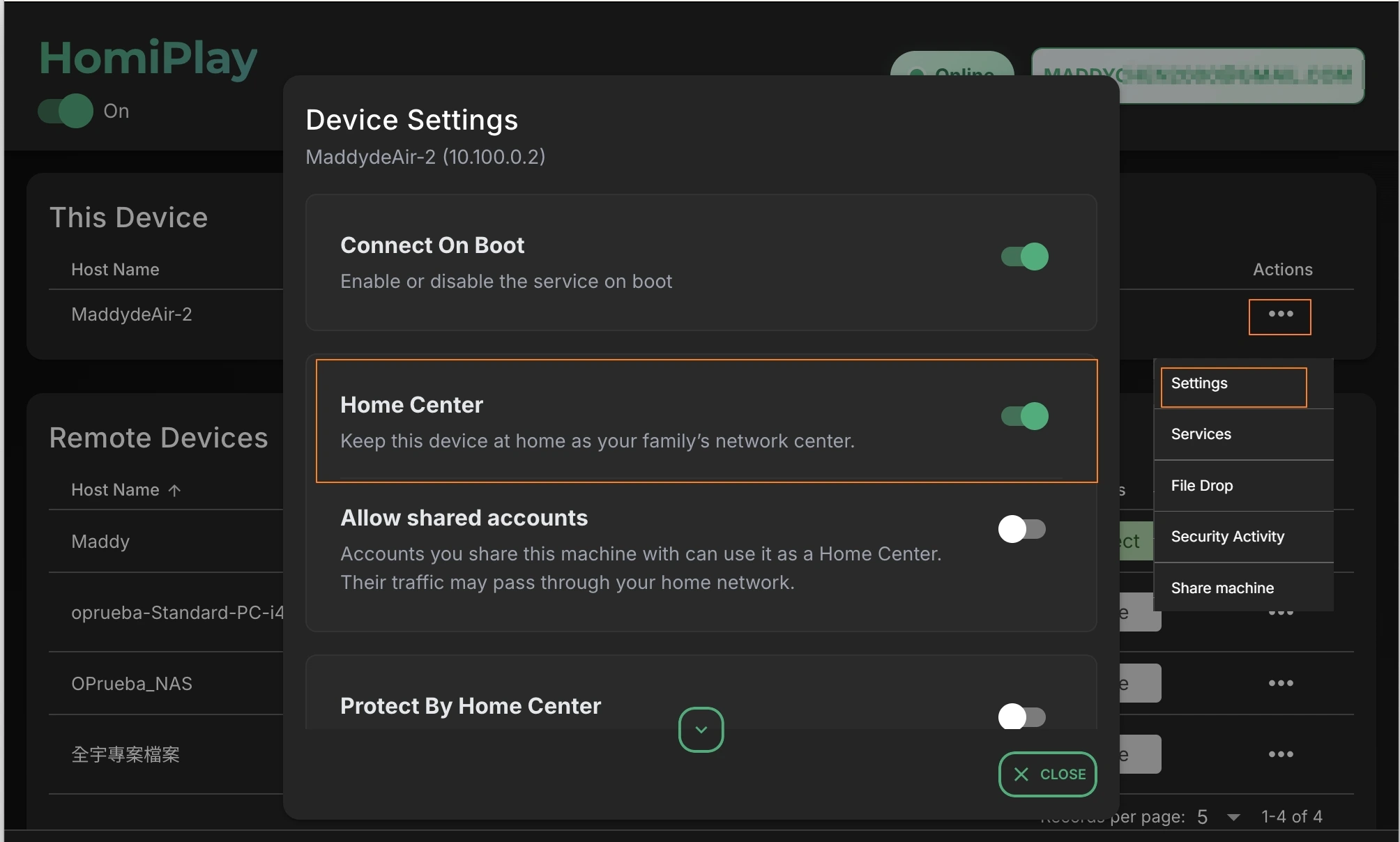
Make sure the Home Center device is signed in to your HomiPlay account and remains powered on and connected to the Internet.
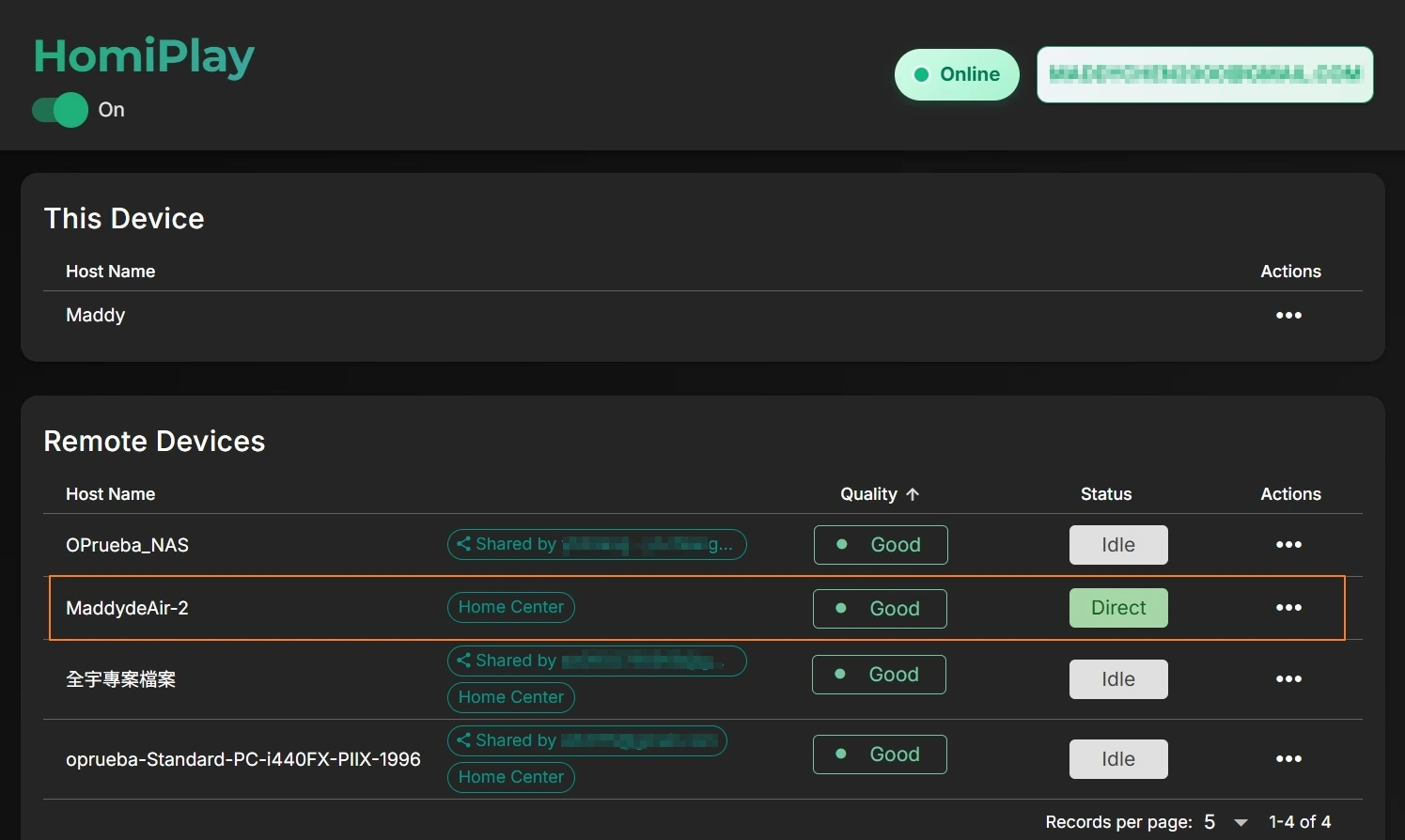
Open HomiPlay on your phone or laptop, select your home device as the Home Center, and enable “Protect by Home Center.” Once enabled, your remote device's Internet traffic is routed through your Home Center and then connected to the Internet through your home network.
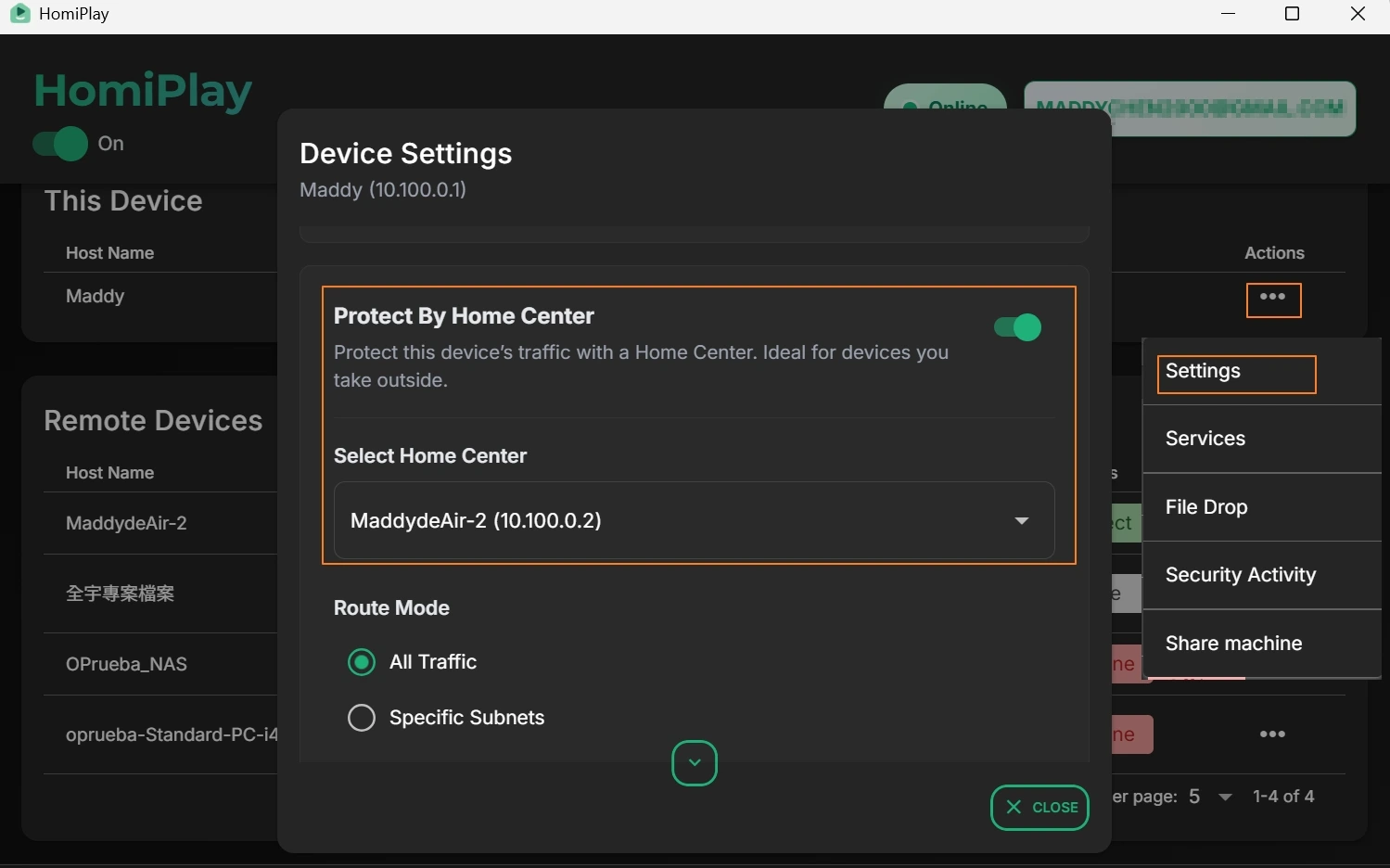
Once connected, your outbound traffic is securely routed through your home network, allowing safe browsing and access to region-specific content.
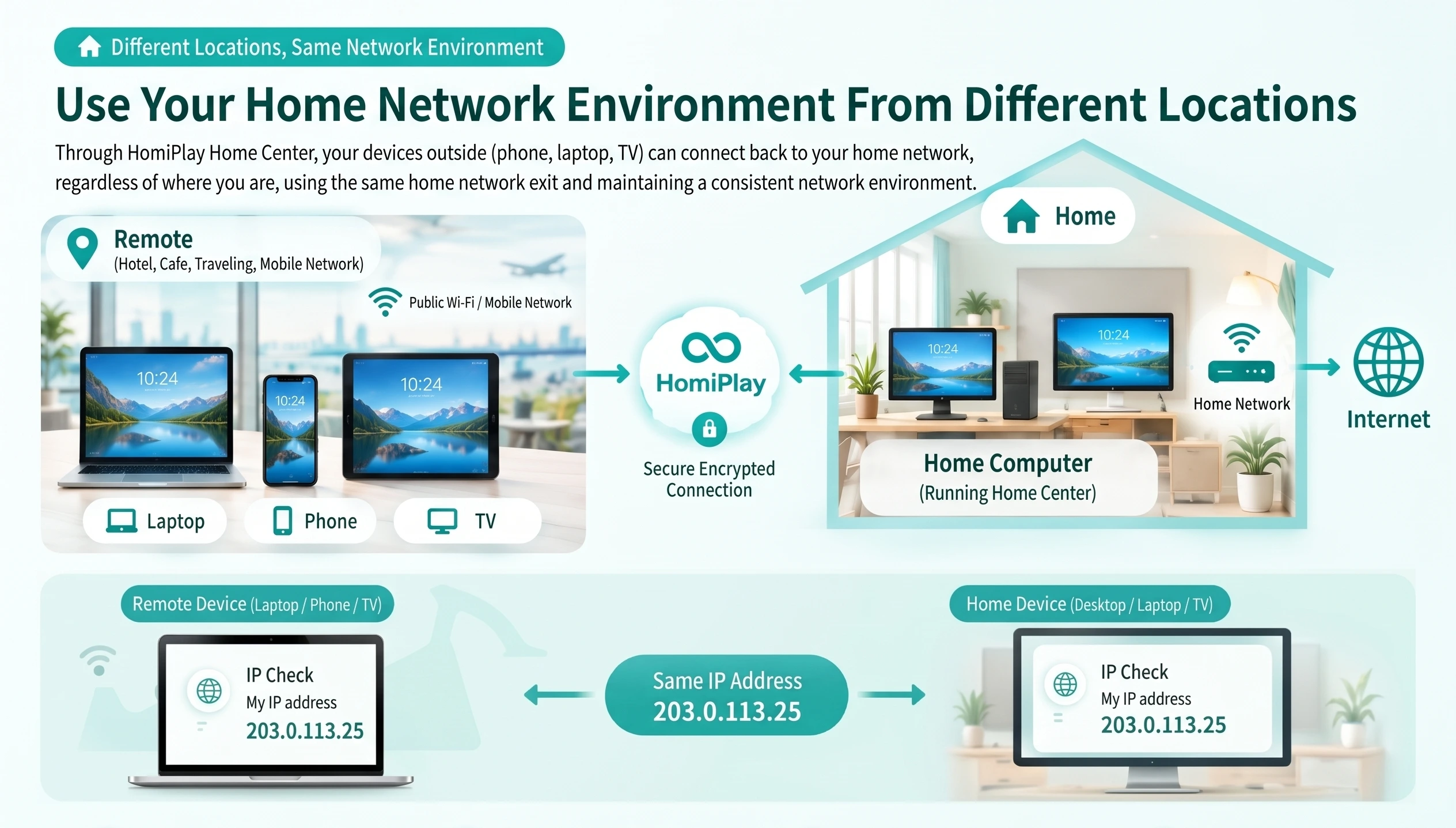
Your remote device connects back to Home Center through HomiPlay's encrypted connection, then reaches the Internet through your home network. This lets the remote device use the same network exit and public IP address as devices at home.
Let them approve the connection at their computer, then help from elsewhere without exchanging passwords or leaving permanent access.
Learn MoreConnect through your home network, then open PS Remote Play and continue the game.
Learn MoreReach OpenClaw and local models without publishing them to the internet.
Learn MoreOpen that computer from home and continue where you stopped.
Learn MoreCheck the remote computer or handle a quick action before you get back.
Learn MoreMove it directly between computers without uploading it to the cloud first.
Learn MoreSend it directly without finding a cable or waiting for a cloud upload.
Learn MoreRoute the connection through your own home network before doing anything private.
Learn MoreNo complex setup—securely access your NAS anytime, anywhere
Learn MoreEffortlessly share Synology NAS services with other HomiPlay users.
Learn More